








Blog


How to set up live shipping rates at checkout
Learn how live rates work at checkout and how to offer accurate delivery options.

For the complete documentation index, see llms.txt.
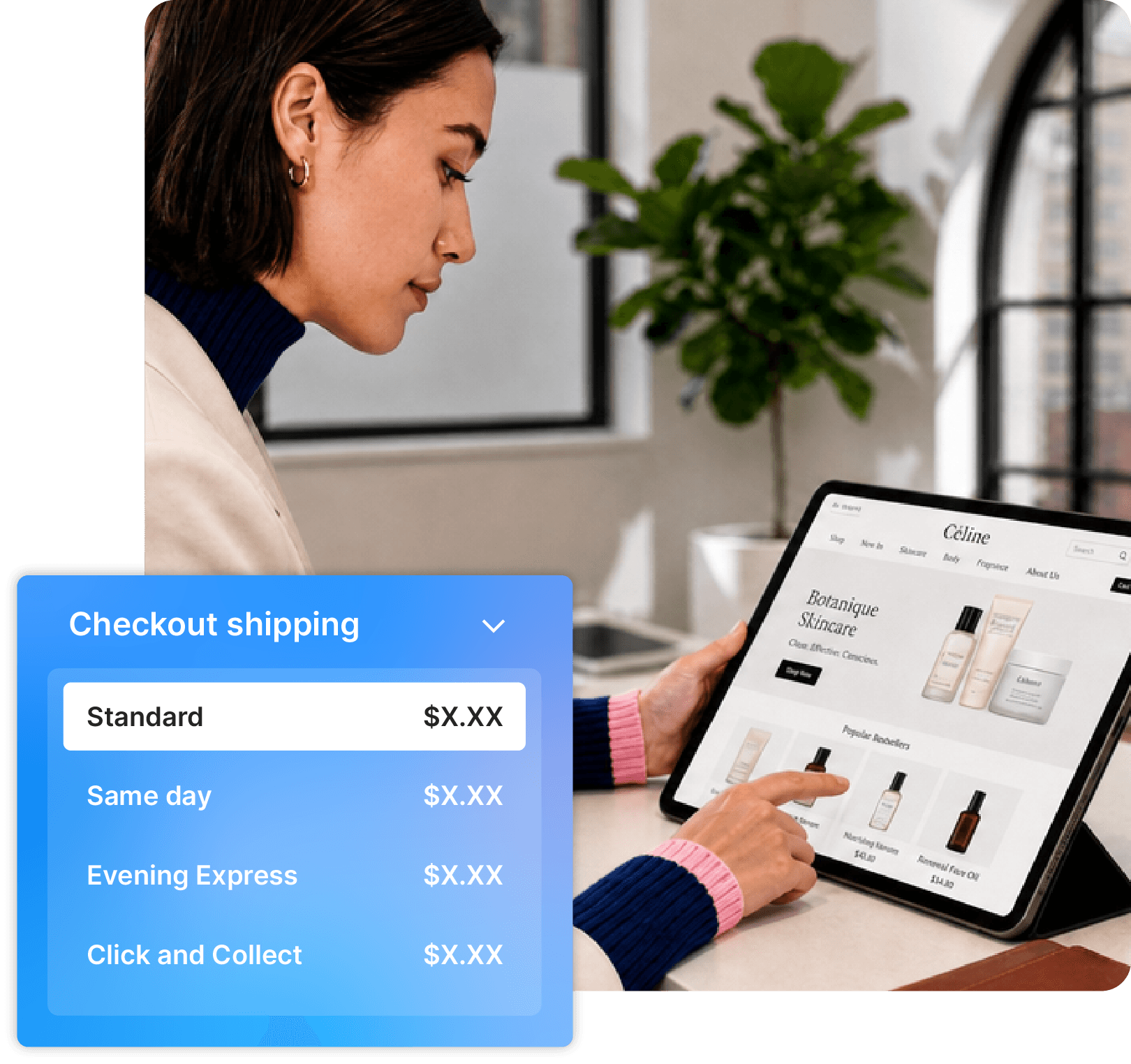
Give customers clearer delivery costs before they buy. Starshipit helps retailers show live carrier rates, delivery estimates and service options at checkout, with rules to manage margins, regions and shipping offers.
Trusted by 30,000+ retailers to manage shipping rates, carrier services and delivery workflows.
With Starshipit, Meshki offers same-day, express and standard shipping across 8 services and 5 carriers. Customers can choose the option that fits their order, location and delivery expectations.
“This means customers can choose a shipping option that works best for them, which makes our brand really competitive.”
Damien Park-Nielson, Head of Operations at Meshki
Read the full case studyLive shipping rates are real-time shipping costs shown at checkout based on the customer's order, destination, carrier service and configured rates. For eCommerce retailers, they help reduce guesswork and give shoppers clearer delivery choices before they complete their purchase.
Accurate checkout shipping rates help you offer the right delivery options at the right price. By showing dynamic rates based on each customer's location and available carrier services, you can give shoppers more delivery choice while protecting your shipping margins.
Live Rates connects your carrier services to the delivery choices shoppers see at checkout. You choose the rates, services and rules, then Starshipit shows relevant options based on the order, destination and customer delivery needs. Once the customer buys, your team can keep working in the same shipping flow: print labels, dispatch with the right carrier and send tracking updates.
Bring your configured carrier accounts and services into one checkout workflow.
Add margins, surcharges, free-shipping thresholds and service rules that fit your business.
Give shoppers accurate rates, delivery choices and estimates before they buy.
Keep carrier selection, labels and tracking connected after checkout.
Use Starshipit's checkout rules to decide which delivery choices appear for each order. Show real-time carrier rates, prioritise preferred services, hide services that do not fit, add margins or surcharges, and create free-shipping offers by order value or destination.
This helps when shipping costs change by package size, remote delivery zone, express service or international destination.
Once the checkout experience is clear, use these controls to connect carrier pricing, service rules and fulfilment workflows without adding more manual rate tables.
Different rate setups suit different stages of growth. The right choice depends on how much your shipping costs vary by order size, destination, carrier service and customer expectation.
Flat-rate shipping
Best for simple orders where shipping costs are predictable. The trade-off is margin risk: some deliveries may cost more than you charge, while cheaper routes may feel overpriced to customers.
Manual rate tables
Useful when you need more control than a single flat rate. The trade-off is maintenance, especially when carrier pricing, destination zones or product mixes change.
Live shipping rates
Best when costs change by destination, weight, service level or carrier. Starshipit helps retailers show real-time carrier rates and apply checkout rules from one platform.
Learn how live rates work at checkout and how to offer accurate delivery options.
Check which couriers support live rates and what to confirm before setup.
Control the delivery options and prices customers see at checkout.
Set rules that control the delivery options and prices customers see.
Flat-rate shipping charges the same amount regardless of the order, destination or service selected. It is simple to manage, but it can overcharge some customers and under-recover costs on others. Live shipping rates calculate checkout shipping costs from carrier pricing and order details, helping retailers show more accurate delivery options.
Flat rates can work when your delivery costs are predictable and you understand the margin on each order. Live rates are worth considering when costs vary by destination, parcel size or service. They can show carrier-calculated options on supported platforms, using the order and delivery information available. Check your platform eligibility, product data and carrier services, then compare representative carts before deciding.
Yes. Starshipit Live Rates supports configurable checkout rules, including margins, adjustments, surcharges, service prioritisation and free-shipping offers. This helps retailers balance customer choice with margin control, especially when shipping costs change by weight, destination, carrier or service level.
Yes. Starshipit Live Rates uses the carrier pricing configured in Starshipit, including negotiated carrier rates where those accounts and services are connected. This helps retailers bring their own carrier relationships into checkout instead of maintaining separate manual rate tables.
Starshipit can support live shipping rates for Shopify when the right Starshipit setup and Shopify checkout requirements are in place. Checkout-rate access can depend on the merchant's Shopify plan and configuration, so confirm your setup before relying on live rates in Shopify checkout.
You can offer live rates at checkout, use table rates or flat rates, then apply shipping rules to assign services, cover costs and guide customers towards the right delivery option. Starshipit helps retailers control how eCommerce shipping rates appear before customers complete their purchase.
Flat-rate shipping charges the same amount regardless of the order, destination or service selected. It is simple to manage, but it can overcharge some customers and under-recover costs on others. Live shipping rates calculate checkout shipping costs from carrier pricing and order details, helping retailers show more accurate delivery options.
Yes. Starshipit Live Rates supports configurable checkout rules, including margins, adjustments, surcharges, service prioritisation and free-shipping offers. This helps retailers balance customer choice with margin control, especially when shipping costs change by weight, destination, carrier or service level.
Starshipit can support live shipping rates for Shopify when the right Starshipit setup and Shopify checkout requirements are in place. Checkout-rate access can depend on the merchant's Shopify plan and configuration, so confirm your setup before relying on live rates in Shopify checkout.
Flat rates can work when your delivery costs are predictable and you understand the margin on each order. Live rates are worth considering when costs vary by destination, parcel size or service. They can show carrier-calculated options on supported platforms, using the order and delivery information available. Check your platform eligibility, product data and carrier services, then compare representative carts before deciding.
Yes. Starshipit Live Rates uses the carrier pricing configured in Starshipit, including negotiated carrier rates where those accounts and services are connected. This helps retailers bring their own carrier relationships into checkout instead of maintaining separate manual rate tables.
You can offer live rates at checkout, use table rates or flat rates, then apply shipping rules to assign services, cover costs and guide customers towards the right delivery option. Starshipit helps retailers control how eCommerce shipping rates appear before customers complete their purchase.
Starshipit is an award winning technology platform





Recognised by the NZ Hi-Tech Awards, Retail Systems Awards, TIN Awards, NORA Awards, VIP Awards, G2 and more.