










Guide


The Shipping Automation Rules Playbook
A practical guide to rules that streamline fulfilment and reduce manual work.

For the complete documentation index, see llms.txt.
Trusted by 30,000+ retailers and fulfilment teams worldwide
As your business grows, shipping can get harder to manage. A new warehouse, brand or 3PL client can mean different carrier accounts, pickup addresses, users and workflows.
Running each operation on a separate subscription creates more admin. Keeping everything in one account can make it harder to manage the right settings for each team.
Child Accounts give each operation its own space to manage shipping, while keeping everything connected under your wider Starshipit setup.
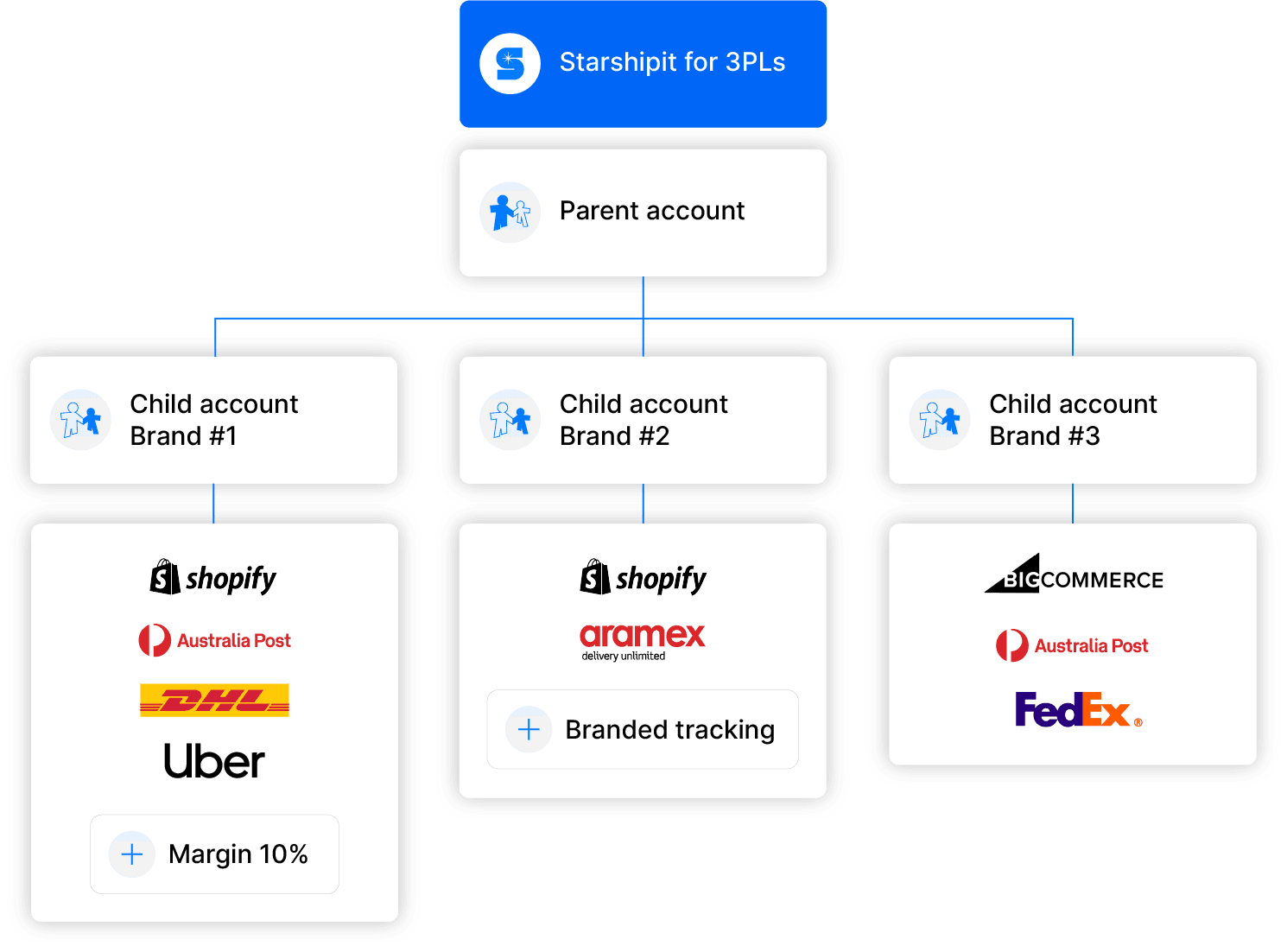
Child Accounts let you create separate shipping setups under one parent Starshipit account. Set up each account for a brand, warehouse, fulfilment team or client, with its own users, settings and workflows.
When you create a Child Account, you can choose whether it inherits the parent account’s address book, carrier configuration and shipping rules, or manage these settings separately.
That means you can add new brands, locations or 3PL clients as you grow, without forcing every team to work from the same shipping setup.
Give each brand, warehouse or client the shipping setup it needs, then add more Child Accounts as your operation grows.
Set up each account for the way it ships
Create a dedicated Child Account for a warehouse, brand, franchise location or 3PL client. Give each operation its own users, pickup details and shipping setup.
Bring across the settings you already use
Start with the parent account’s address book and carrier configuration, or set them up separately for each Child Account.
Control what each team can access
Choose whether teams can see courier rates or access manifests, so each account has the right level of access for its role. Available options vary by Child Account type.
Choose the account type that fits the teams, locations and clients you support.
Multi-workstation
Support separate workstations and users within a busy warehouse or packing operation.
Multi-location
Give each warehouse or fulfilment location its own shipping setup, carriers and pickup details.
Multi-3PL
Keep each 3PL client’s shipping operation clearly separated and organised.
Full Access
Create a separate account with the access and setup an independent brand, business unit or team needs.
As you add Child Accounts for different brands, warehouses or clients, keeping on top of settings and order activity gets harder. Ops Manager lets central teams update settings in bulk, monitor performance and track orders across connected locations — all in one place.
Explore Ops ManagerA practical guide to rules that streamline fulfilment and reduce manual work.
Add accounts, inherit the right settings and create locations or brands in bulk.
How a retailer used stores, carriers and fulfilment tools together.
See stock across connected Child Accounts from one inventory view when using WMS.
A 3PL growth story built on connected fulfilment operations.
Child Accounts are separate shipping environments connected to a parent Starshipit account. They let retailers and 3PLs support different brands, warehouses, locations, workstations or clients with the right settings and users.
Yes. You can choose to inherit the parent address book, carrier configuration and shipping rules when creating an account, or configure those settings separately for that operation.
Yes. Child Accounts let 3PLs create a dedicated shipping setup for each client, with separate settings, users and workflows for each account.
Child Accounts create the account structure for separate brands, warehouses, locations or clients. Ops Manager is a separate add-on that helps central teams monitor and manage connected Child Accounts from one place.
Routing an order to the nearest suitable fulfilment point can shorten the delivery journey, but distance is only one factor. Stock availability, store capacity, cut-off times and carrier coverage should be part of the rule. Starshipit supports ship-from-store; advanced inventory and routing workflows require the right WMS and Ops Manager configuration.
It depends on how you operate. Starshipit offers Multi-workstation, Multi-location, Multi-3PL and Full Access account types. Our team can help you choose the setup that fits your teams and fulfilment model.
Child Accounts are available as an add-on to Starshipit Shipping. Professional plans include 2 Child Accounts and Enterprise plans include 3; additional accounts are $25 AUD per account, per month where they are not included in your plan.