
For the complete documentation index, see llms.txt.
Warehouse management system alternatives: how Starshipit compares
Choose a cost-effective WMS that brings stock control, warehouse workflows, pick and pack, and shipping together in one powerful, easy-to-use platform.
Give your team real-time inventory visibility and scan-led workflows, with a clear path to scale across locations, clients and higher order volumes.



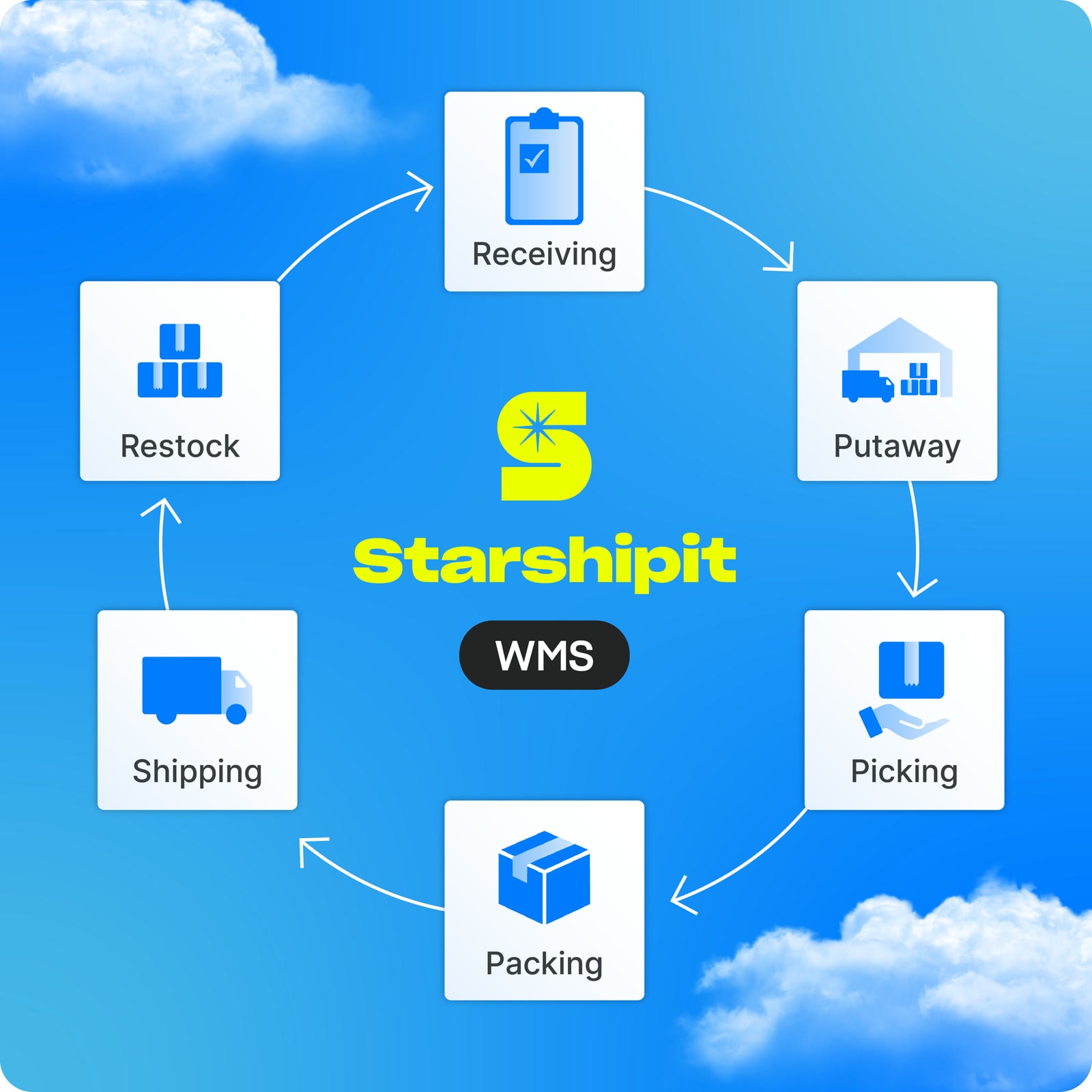
Join 30,000+ retailers and 3PLs using Starshipit to save time on every order.














Your stock, warehouse and shipping,
finally working as one
Run your warehouse and shipping in one easy-to-use platform, without the cost and complexity of a traditional WMS.
Starshipit WMS brings inventory management, warehouse operations, Pick & Pack and multi-carrier shipping together, helping growing retailers and 3PLs keep stock accurate, fulfil faster and scale with support from local experts.
Take control of stock, cut errors and ship faster
Know exactly what stock you have
See what’s available and where it sits, with bin-level inventory updated as your team scans.
Catch picking errors before they become returns
Use scan-led workflows to confirm the right product, location and order before it leaves your warehouse.
Ship without another system or handoff
Move packed orders straight into carrier selection, label printing and tracking in the same platform.


Run your warehouse and shipping as one operation
Warehouse and shipping are part of the same fulfilment journey, but many systems separate them. Starshipit WMS connects stock control, warehouse workflows, pick and pack and multi-carrier shipping, giving eCommerce retailers and 3PLs one clear path from receiving to dispatch.
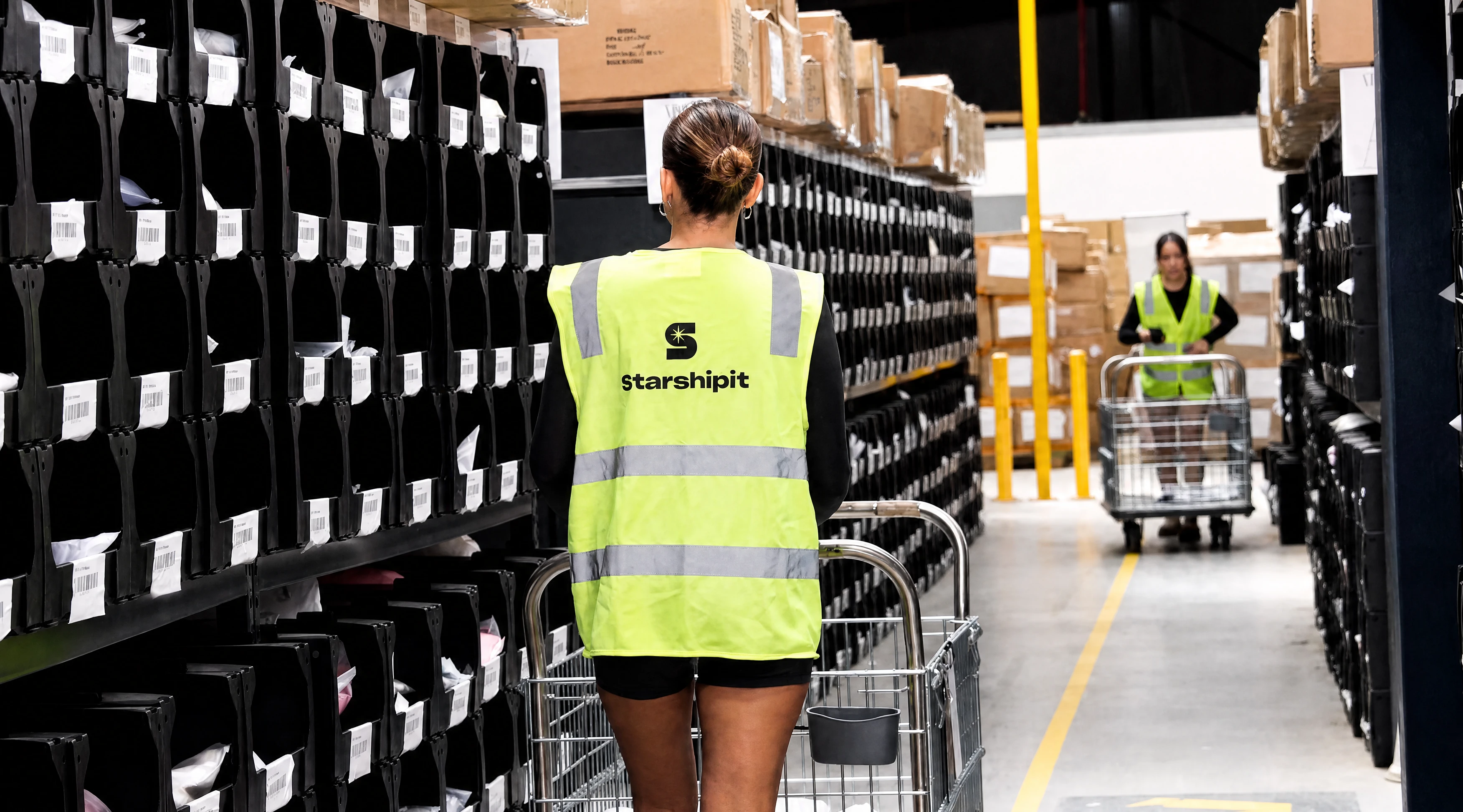
Move from pick to ship without another handoff
Apply shipping rules, automatically select carriers and print labels as part of the same connected workflow.
Reduce systems, integrations and manual work
Manage warehouse operations and shipping with one platform and one supplier, keeping your technology stack simpler.
Scale locations, clients and order volumes
Maintain visibility and control as you add warehouses, fulfilment clients, carriers and more complex workflows.
How Starshipit WMS compares with the market
Get the capabilities to scale without the complexity of an overbuilt WMS. Starshipit brings advanced inventory control, warehouse workflows and multi-carrier shipping into one powerful, easy-to-use platform, so your team can fulfil accurately and keep orders moving as volumes grow.
| What WMS buyers need | Starshipit WMS | What to watch for |
|---|---|---|
| Inventory and warehouse control | ||
| Bin-level inventory visibility | Track stock and packaging by warehouse, zone, aisle, shelf and bin, with availability updated as work is scanned. | Confirm the system updates stock as work is scanned and distinguishes what is on hand, committed and available at bin level. |
| Receiving and putaway | Receive incoming stock and guide putaway into the right warehouse and bin locations. | Confirm purchase-order receiving, partial receipts and guided putaway are included in the standard workflow. |
| Scan-led picking and packing | Guide teams through barcode-enabled picking and packing to confirm products, locations and orders. | Check how the system handles short picks, substitutions, split orders and packing exceptions. |
| Mobile warehouse app | Starshipit WMS includes a mobile warehouse app, so your team can manage warehouse tasks on the move. | Confirm supported devices and whether mobile access, users or scanners add licence costs. |
| Replenishment and stock movements | Manage replenishment and stock transfers with clear, scan-led warehouse workflows. | Check whether replenishment can begin before pick faces run empty and whether transfers retain an audit trail. |
| Bundles and kitting | Track components and finished products for bundles, kits, subscription boxes and assembled items. | Confirm component and finished-goods stock stays accurate as kits are assembled, sold, returned or broken down. |
| Stocktakes and cycle counting | Run stocktakes and cycle counts to keep recorded inventory aligned with what is physically held in each location. | Check whether teams can count selected locations without stopping fulfilment, then review variances and retain an audit trail. |
| Connected fulfilment and shipping | ||
| eCommerce and inventory integrations | Connect Shopify, Cin7 Core, WooCommerce, BigCommerce, NetSuite, Magento 2, MYOB Acumatica, Etsy and more, keeping product, order and stock data aligned. | Confirm which connections are native, how often data syncs and which system remains the source of truth for stock. |
| Multi-carrier shipping | Keep fulfilment in one connected workflow, with label printing and rules that automatically select the right carrier and service. | Confirm carrier selection, label printing and tracking happen inside the WMS workflow rather than in a separate system. |
| Tools for the wider customer journey | Extend your Starshipit setup with optional Live Rates at checkout, Duties and Taxes, branded tracking and a returns portal. | Confirm whether checkout, cross-border, tracking and returns tools share the same data and supplier or require separate contracts. |
| Scale, implementation and cost | ||
| Multiple warehouses and locations | Scale across multiple warehouses and locations while maintaining central visibility of inventory and fulfilment workflows. | Check whether transfers, permissions and reporting work across every location without separate system instances. |
| Multi-client fulfilment for 3PLs | Manage stock, warehouse workflows and shipping for multiple clients while keeping each operation organised and visible. | Check whether each client can have separate stock, settings, workflows and carrier access with central oversight. |
| Reporting and warehouse analytics | Use warehouse reporting and analytics to monitor inventory, activity and fulfilment performance as your operation grows. | Confirm the reports cover the locations, clients and workflow stages you need, with filters and exports that suit your team. |
| User roles and permissions | Control access with user roles and permissions that keep warehouse responsibilities and operational data organised. | Check how precisely access can be controlled across tasks, locations and clients, and whether changes are auditable. |
| Ease of use and adoption | Give teams clear, intuitive workflows designed for faster adoption and less day-to-day complexity. | Ask warehouse operators to test everyday tasks; a long feature list does not guarantee quick adoption. |
| Implementation and ongoing support | Work with a dedicated WMS implementation specialist, with ongoing support as your operation evolves. | Confirm who handles setup, data migration, training and ongoing support, and what the quoted price includes. |
| One platform, one supplier, one cost | Bring inventory, warehouse operations and shipping together with one supplier and one cost, reducing the systems and integrations your team needs to manage. | Calculate implementation, user and mobile licences, integrations, support and separate shipping software, not licence cost alone. |

Inventory and warehouse control
- Bin-level inventory visibility
Starshipit WMS
Track stock and packaging by warehouse, zone, aisle, shelf and bin, with availability updated as work is scanned.What to watch for
Confirm the system updates stock as work is scanned and distinguishes what is on hand, committed and available at bin level.
- Receiving and putaway
Starshipit WMS
Receive incoming stock and guide putaway into the right warehouse and bin locations.What to watch for
Confirm purchase-order receiving, partial receipts and guided putaway are included in the standard workflow.
- Scan-led picking and packing
Starshipit WMS
Guide teams through barcode-enabled picking and packing to confirm products, locations and orders.What to watch for
Check how the system handles short picks, substitutions, split orders and packing exceptions.
- Mobile warehouse app
Starshipit WMS
Starshipit WMS includes a mobile warehouse app, so your team can manage warehouse tasks on the move.What to watch for
Confirm supported devices and whether mobile access, users or scanners add licence costs.
- Replenishment and stock movements
Starshipit WMS
Manage replenishment and stock transfers with clear, scan-led warehouse workflows.What to watch for
Check whether replenishment can begin before pick faces run empty and whether transfers retain an audit trail.
- Bundles and kitting
Starshipit WMS
Track components and finished products for bundles, kits, subscription boxes and assembled items.What to watch for
Confirm component and finished-goods stock stays accurate as kits are assembled, sold, returned or broken down.
- Stocktakes and cycle counting
Starshipit WMS
Run stocktakes and cycle counts to keep recorded inventory aligned with what is physically held in each location.What to watch for
Check whether teams can count selected locations without stopping fulfilment, then review variances and retain an audit trail.
Connected fulfilment and shipping
- eCommerce and inventory integrations
Starshipit WMS
Connect Shopify, Cin7 Core, WooCommerce, BigCommerce, NetSuite, Magento 2, MYOB Acumatica, Etsy and more, keeping product, order and stock data aligned.What to watch for
Confirm which connections are native, how often data syncs and which system remains the source of truth for stock.
- Multi-carrier shipping
Starshipit WMS
Keep fulfilment in one connected workflow, with label printing and rules that automatically select the right carrier and service.What to watch for
Confirm carrier selection, label printing and tracking happen inside the WMS workflow rather than in a separate system.
- Tools for the wider customer journey
Starshipit WMS
Extend your Starshipit setup with optional Live Rates at checkout, Duties and Taxes, branded tracking and a returns portal.What to watch for
Confirm whether checkout, cross-border, tracking and returns tools share the same data and supplier or require separate contracts.
Scale, implementation and cost
- Multiple warehouses and locations
Starshipit WMS
Scale across multiple warehouses and locations while maintaining central visibility of inventory and fulfilment workflows.What to watch for
Check whether transfers, permissions and reporting work across every location without separate system instances.
- Multi-client fulfilment for 3PLs
Starshipit WMS
Manage stock, warehouse workflows and shipping for multiple clients while keeping each operation organised and visible.What to watch for
Check whether each client can have separate stock, settings, workflows and carrier access with central oversight.
- Reporting and warehouse analytics
Starshipit WMS
Use warehouse reporting and analytics to monitor inventory, activity and fulfilment performance as your operation grows.What to watch for
Confirm the reports cover the locations, clients and workflow stages you need, with filters and exports that suit your team.
- User roles and permissions
Starshipit WMS
Control access with user roles and permissions that keep warehouse responsibilities and operational data organised.What to watch for
Check how precisely access can be controlled across tasks, locations and clients, and whether changes are auditable.
- Ease of use and adoption
Starshipit WMS
Give teams clear, intuitive workflows designed for faster adoption and less day-to-day complexity.What to watch for
Ask warehouse operators to test everyday tasks; a long feature list does not guarantee quick adoption.
- Implementation and ongoing support
Starshipit WMS
Work with a dedicated WMS implementation specialist, with ongoing support as your operation evolves.What to watch for
Confirm who handles setup, data migration, training and ongoing support, and what the quoted price includes.
- One platform, one supplier, one cost
Starshipit WMS
Bring inventory, warehouse operations and shipping together with one supplier and one cost, reducing the systems and integrations your team needs to manage.What to watch for
Calculate implementation, user and mobile licences, integrations, support and separate shipping software, not licence cost alone.
Do you need Pick & Pack or a full warehouse management system?
The right fit depends on whether you need to improve packing accuracy or manage stock and warehouse operations end to end.
- Choose the Pick & Pack app when your stock is managed elsewhere and you mainly need guided picking, packing and barcode validation.
- Choose a warehouse management system when you need inventory control, receiving, putaway, replenishment, cycle counting, multiple warehouse locations or 3PL client management.

See why fulfilment teams are making the switch
See why fulfilment teams are making the switch

Starshipit WMS is an absolute game-changer. Its intuitive interface and powerful automation saves time, reduces errors, and makes scaling operations feel effortless.
Jesse M, Willow Workspaces & Fulfillment

Warehouse management system comparison FAQs
What should I compare when choosing a warehouse management system?
Compare how each WMS handles inventory visibility, receiving, putaway, replenishment, picking, packing, stock movements, multiple locations, integrations and shipping. Look beyond the feature list to implementation, usability, support, system ownership and the total cost of every licence, integration and separate platform you will need.
How do I know when my eCommerce business needs a WMS?
It may be time for a WMS when spreadsheets, manual stock checks, basic picking tools or disconnected systems make inventory difficult to trust and orders harder to fulfil accurately. A WMS becomes more valuable as your SKUs, locations, order volumes, warehouse team or fulfilment complexity grow.
What makes Starshipit WMS different from other WMS options?
Starshipit WMS brings inventory management, warehouse operations, pick and pack and multi-carrier shipping into one cost-effective, easy-to-use platform. Explore Starshipit warehouse management software to see how connected stock and shipping can reduce handoffs and simplify your technology stack.
Does Starshipit WMS include a mobile warehouse app?
Yes. Starshipit WMS includes a mobile warehouse app, so your team can manage warehouse tasks on the move. Teams can use supported iOS or Android devices and compatible Bluetooth scanners to scan products and locations across receiving, picking, packing and stock movements. View the Starshipit WMS support guides for current setup and workflow documentation.
What is the difference between Starshipit Pick & Pack and WMS?
The Starshipit Pick & Pack warehouse app suits teams whose inventory is managed elsewhere and mainly need mobile barcode validation for picking and packing. Choose Starshipit WMS when you also need inventory control, bin locations, receiving, putaway, replenishment, stock movements and multi-location warehouse management.
Can Starshipit WMS manage multiple warehouses and locations?
Yes. Starshipit WMS tracks inventory by warehouse, zone, aisle, shelf and bin across multiple warehouses and storage locations. This gives your team central visibility as your fulfilment network grows.
Is Starshipit WMS suitable for eCommerce retailers and 3PLs?
Yes. Starshipit WMS is built for scaling retailers that fulfil their own orders and 3PLs managing inventory and warehouse workflows for multiple clients. Explore Starshipit for 3PLs if you need client-specific accounts, settings and workflows with central oversight.
Can Starshipit WMS connect warehouse operations and shipping?
Yes. Once an order is picked and packed, your team can apply shipping rules, automatically select a carrier, generate labels and send tracking updates through Starshipit’s multi-carrier shipping platform. The order stays in one connected workflow from shelf to shipment.
Can Starshipit WMS integrate with my existing systems?
Starshipit WMS connects with supported eCommerce and inventory systems, including Shopify, Cin7 Core, WooCommerce, BigCommerce, NetSuite, Magento 2, MYOB Acumatica and Etsy. View Starshipit integrations and map how product, order and stock data will move through your specific setup.
Will Starshipit WMS replace my eCommerce or inventory platform?
Not necessarily. Starshipit WMS manages inventory and work inside the warehouse, while your eCommerce or inventory platform may continue to own product, sales or financial data. During implementation, the Starshipit team will help define how supported systems connect and which platform remains the source of truth for each type of data.
What is involved in implementing or switching to Starshipit WMS?
Implementation can move at the pace that works for your operation. Timing depends on your inventory data, warehouse layout, workflows, integrations, locations and training needs. A dedicated WMS implementation specialist works alongside your team to configure the setup, connect supported systems and prepare your workflows and people for launch.
What onboarding and support does Starshipit provide for WMS?
Starshipit provides dedicated local implementation and ongoing support for WMS. Your implementation specialist works with you on setup and launch, while ongoing support helps your team as warehouse processes and operational needs evolve.
How much does Starshipit WMS cost?
Starshipit WMS costs $299 AUD per month as an add-on to a Starshipit account. Review current Starshipit pricing and talk with the team about the locations, users, integrations and workflows required for your operation.
What should I prepare before evaluating Starshipit WMS?
Bring your typical and peak order volumes, SKU count, warehouse locations, current systems, devices and key receiving, picking, packing and shipping workflows. A Starshipit WMS demo can then focus on your operational pains, exceptions and requirements rather than a generic feature tour.
What should I compare when choosing a warehouse management system?
Compare how each WMS handles inventory visibility, receiving, putaway, replenishment, picking, packing, stock movements, multiple locations, integrations and shipping. Look beyond the feature list to implementation, usability, support, system ownership and the total cost of every licence, integration and separate platform you will need.
What makes Starshipit WMS different from other WMS options?
Starshipit WMS brings inventory management, warehouse operations, pick and pack and multi-carrier shipping into one cost-effective, easy-to-use platform. Explore Starshipit warehouse management software to see how connected stock and shipping can reduce handoffs and simplify your technology stack.
What is the difference between Starshipit Pick & Pack and WMS?
The Starshipit Pick & Pack warehouse app suits teams whose inventory is managed elsewhere and mainly need mobile barcode validation for picking and packing. Choose Starshipit WMS when you also need inventory control, bin locations, receiving, putaway, replenishment, stock movements and multi-location warehouse management.
Is Starshipit WMS suitable for eCommerce retailers and 3PLs?
Yes. Starshipit WMS is built for scaling retailers that fulfil their own orders and 3PLs managing inventory and warehouse workflows for multiple clients. Explore Starshipit for 3PLs if you need client-specific accounts, settings and workflows with central oversight.
Can Starshipit WMS integrate with my existing systems?
Starshipit WMS connects with supported eCommerce and inventory systems, including Shopify, Cin7 Core, WooCommerce, BigCommerce, NetSuite, Magento 2, MYOB Acumatica and Etsy. View Starshipit integrations and map how product, order and stock data will move through your specific setup.
What is involved in implementing or switching to Starshipit WMS?
Implementation can move at the pace that works for your operation. Timing depends on your inventory data, warehouse layout, workflows, integrations, locations and training needs. A dedicated WMS implementation specialist works alongside your team to configure the setup, connect supported systems and prepare your workflows and people for launch.
How much does Starshipit WMS cost?
Starshipit WMS costs $299 AUD per month as an add-on to a Starshipit account. Review current Starshipit pricing and talk with the team about the locations, users, integrations and workflows required for your operation.
How do I know when my eCommerce business needs a WMS?
It may be time for a WMS when spreadsheets, manual stock checks, basic picking tools or disconnected systems make inventory difficult to trust and orders harder to fulfil accurately. A WMS becomes more valuable as your SKUs, locations, order volumes, warehouse team or fulfilment complexity grow.
Does Starshipit WMS include a mobile warehouse app?
Yes. Starshipit WMS includes a mobile warehouse app, so your team can manage warehouse tasks on the move. Teams can use supported iOS or Android devices and compatible Bluetooth scanners to scan products and locations across receiving, picking, packing and stock movements. View the Starshipit WMS support guides for current setup and workflow documentation.
Can Starshipit WMS manage multiple warehouses and locations?
Yes. Starshipit WMS tracks inventory by warehouse, zone, aisle, shelf and bin across multiple warehouses and storage locations. This gives your team central visibility as your fulfilment network grows.
Can Starshipit WMS connect warehouse operations and shipping?
Yes. Once an order is picked and packed, your team can apply shipping rules, automatically select a carrier, generate labels and send tracking updates through Starshipit’s multi-carrier shipping platform. The order stays in one connected workflow from shelf to shipment.
Will Starshipit WMS replace my eCommerce or inventory platform?
Not necessarily. Starshipit WMS manages inventory and work inside the warehouse, while your eCommerce or inventory platform may continue to own product, sales or financial data. During implementation, the Starshipit team will help define how supported systems connect and which platform remains the source of truth for each type of data.
What onboarding and support does Starshipit provide for WMS?
Starshipit provides dedicated local implementation and ongoing support for WMS. Your implementation specialist works with you on setup and launch, while ongoing support helps your team as warehouse processes and operational needs evolve.
What should I prepare before evaluating Starshipit WMS?
Bring your typical and peak order volumes, SKU count, warehouse locations, current systems, devices and key receiving, picking, packing and shipping workflows. A Starshipit WMS demo can then focus on your operational pains, exceptions and requirements rather than a generic feature tour.
Ready to connect your warehouse and shipping operations?
Get clearer stock visibility, simpler warehouse workflows and one connected path from receiving through to shipping.
Already a customer? Log in to activate your free 7-day trial.