

April 8, 2024
Product update: April 2024
What's new in Starshipit for April: Pack easier with the new packing slip template editor, add a...
Read now
For the complete documentation index, see llms.txt.
Summary: This Starshipit update highlights Add HTS Codes and cost prices for U.S. shipments, Define zones once, use them everywhere and Easily attach and manage order documents for teams using the platform. Review the changes to see which settings, carrier updates or workflow improvements can help your account reduce manual work and improve dispatch accuracy.
Right now, the shipping and fulfilment industry is navigating some big shifts. Global demand continues to grow, customer expectations for fast and flexible delivery are higher than ever, and many businesses are facing rising costs across carriers and operations. It can feel like you’re constantly under pressure to deliver more with less.
That’s why every update to Starshipit is designed to give you back time and control. Whether it’s optimising the flow of orders through your warehouse, giving customers a smoother checkout, or simply helping you manage costs more effectively, our goal is to simplify the complexity so you can focus on growth.
This month’s updates are focused on helping you fine-tune the details that matter most:
Each of these improvements is built to reduce friction, cut out manual work, and give your team the confidence to move faster in a challenging environment. Let’s take a closer look.
With all the ongoing changes to U.S. import regulations, retailers are being hit with a mix of new and sometimes confusing requirements. To help make things simpler, we’ve added two new fields to your Product Catalogue – HTS Codes and Cost Prices – to support you in staying compliant and keeping shipments moving smoothly.
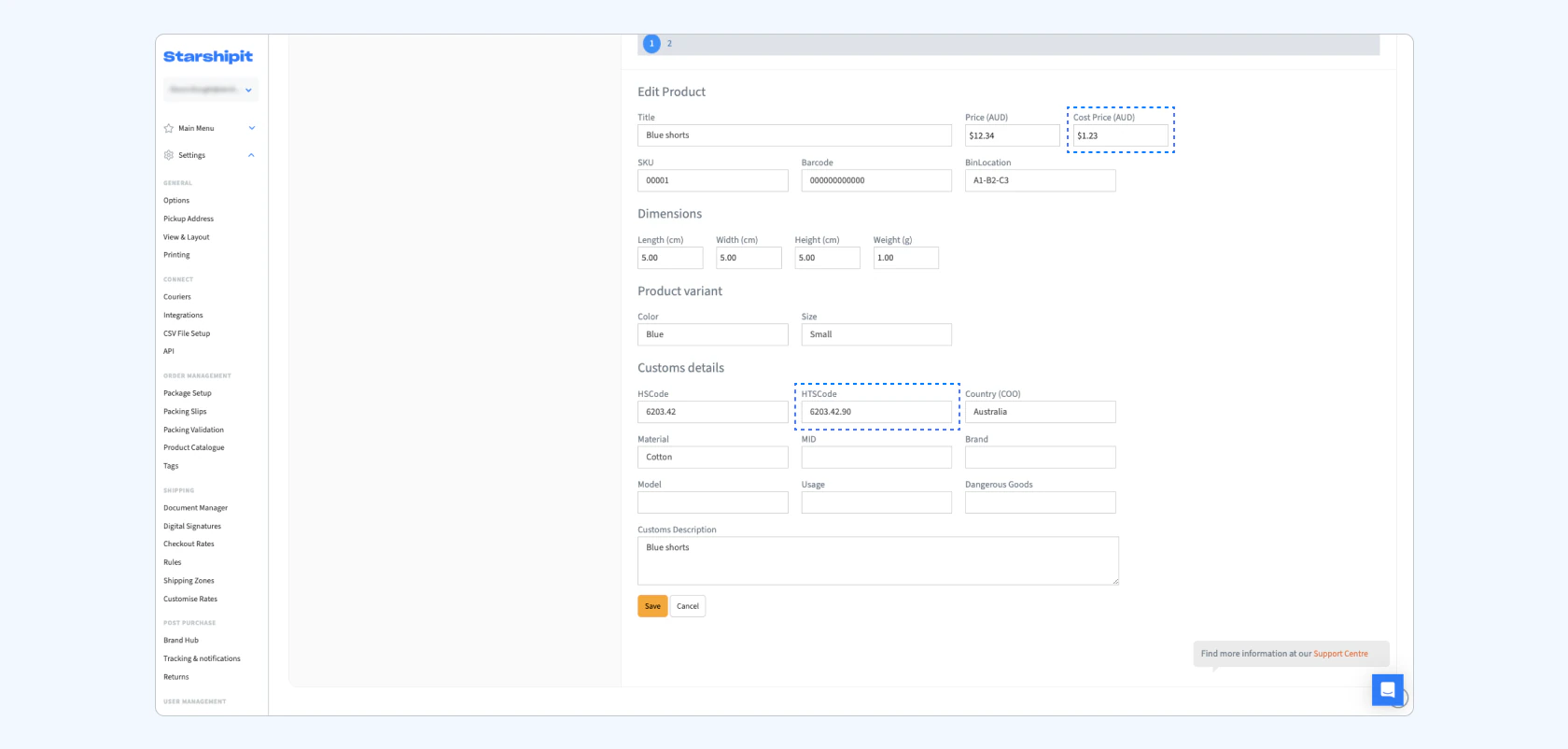
HTS (Harmonized Tariff Schedule) codes are the U.S. equivalent of HS Codes, used to classify goods and calculate duties. While not mandatory for all carriers, adding them can help prevent delays or issues at the border by ensuring your products are classified correctly (important to flag, not mandatory). Starshipit will automatically apply your HTS Codes to all U.S. shipments.
Here’s what’s new:
This update helps simplify U.S. fulfilment, stay compliant, and avoid unexpected delays at customs, without extra manual work.
Our full Landed Cost solution is currently in pre-release and will be available to all users soon. It’s designed to give you complete control over duties, taxes, and cross-border compliance.
Here’s what you’ll be able to do:
This is the first step in making international shipping to the U.S. more predictable, transparent, and cost-effective.
Want early access or product updates? Register your interest so we can keep you in the loop.
Managing shipping rules by location has always been tricky. Until now, if you wanted to apply a courier option to Australia (or any specific region), you had to manually enter the same list of postcodes across multiple areas of Starshipit. That meant copying and pasting lists, repeating work, and inevitably introducing errors.
With Shipping Zones, you only need to define your locations once. Create a zone in Settings by grouping together postcodes, states, or entire countries, then reference that zone anywhere you need it – from checkout rate rules, to import rules, to margins in app.
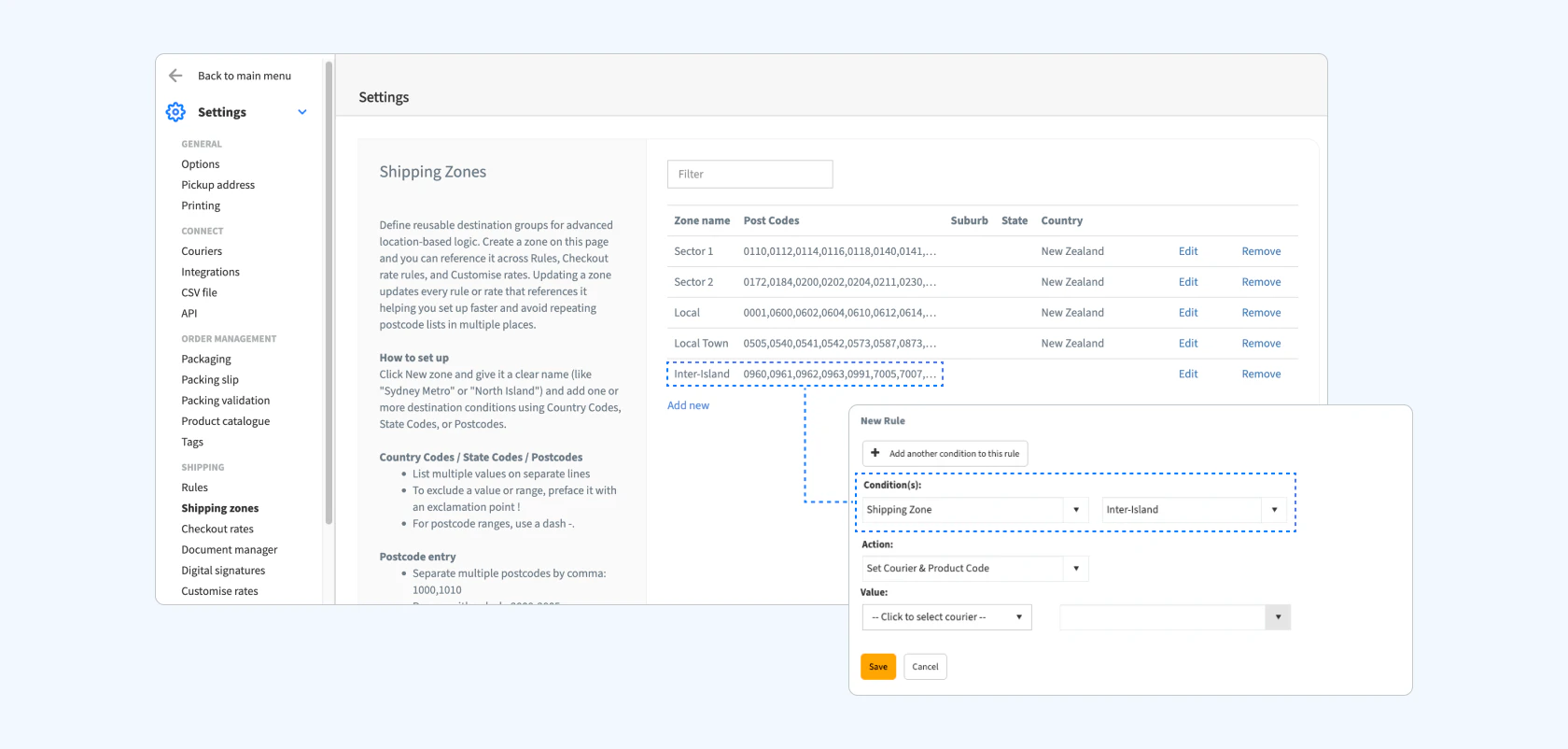
Here’s why it makes a difference:
“This is about taking something that used to be repetitive and error-prone, and making it simple and reusable. Zones give retailers confidence that their location-based logic will work consistently across the entire platform.” – Ron Bansal, Product Manager
Keeping track of shipping paperwork just got a whole lot easier. With the new and improved Documents Manager, you can now upload and manage order documents directly from the order details page, giving you complete visibility and control before printing.
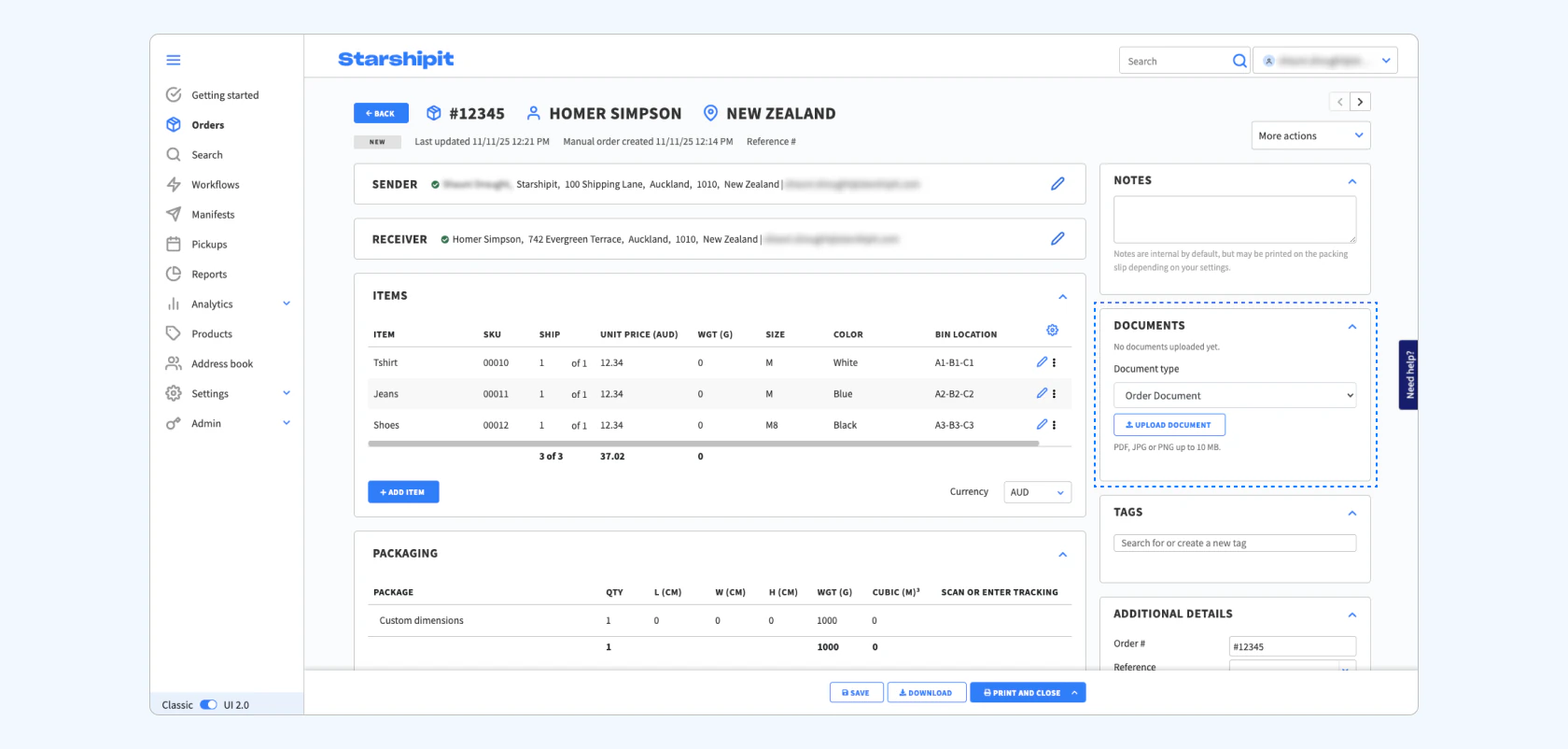
Here’s what’s changed:
This update gives you greater flexibility and transparency when managing shipment documentation. You can now review and control every file directly from the order, making it easier to stay organised and ensure the right paperwork travels with every parcel.
Views are how you power your workspace, and in UI 2.0, we’ve cleaned them up to help you work faster and stay organised.
If you’re new to Views, we’ve added five of the most popular ones used by retailers like you, so you can hit the ground running. And if you’ve built up a long list, you can now favourite up to three for one-click access, and use the new search bar to jump straight to what you need.
What’s new in UI 2.0:
These updates make views faster, smarter, and easier to navigate – especially if you rely on them daily to keep your workflow organised.
“For retailers with complex operations, views are essential. These improvements are about reducing clicks and making sure the right information is always at your fingertips.” – Shauni Drought, UX Designer
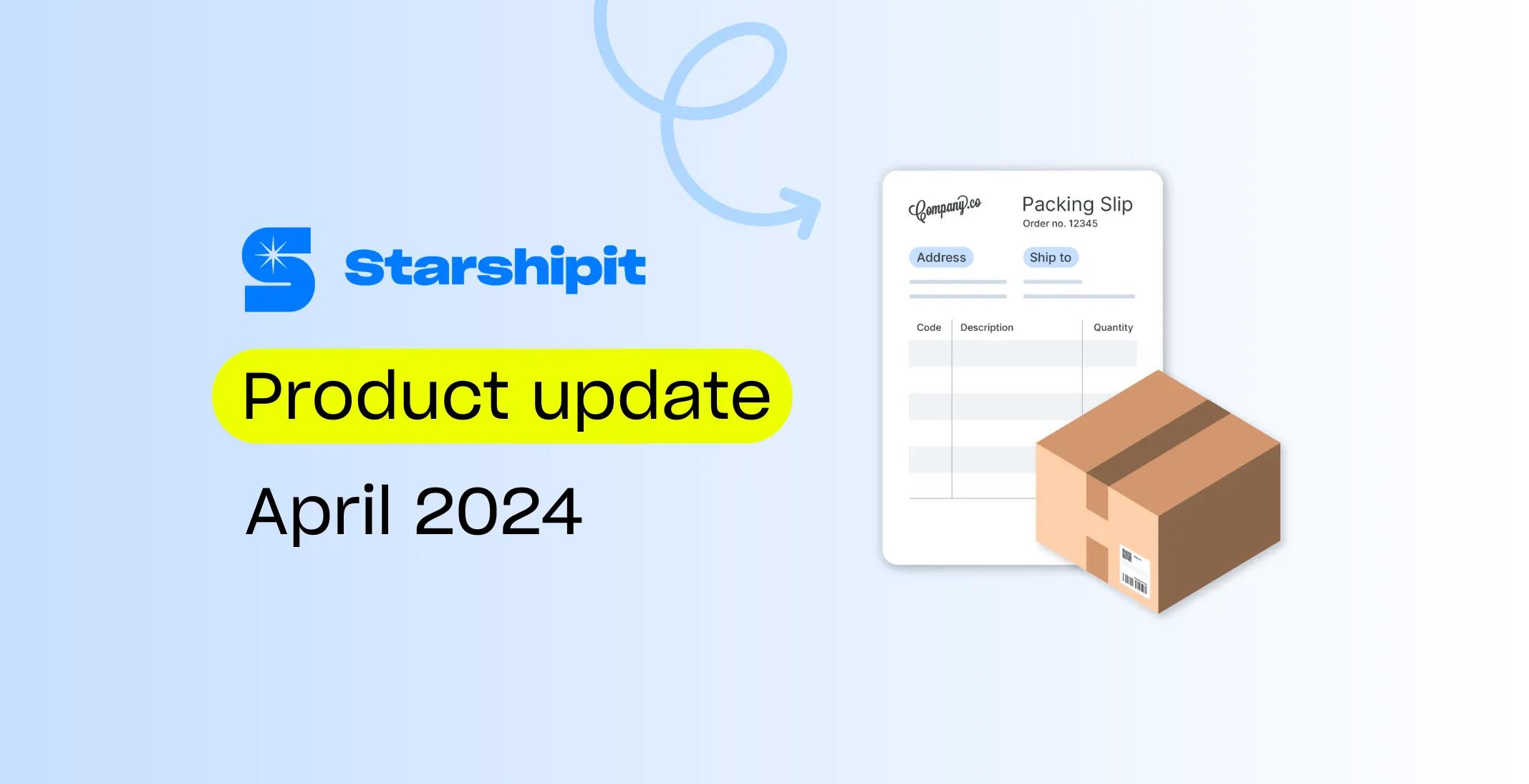
Do your packing slips need a refresh? With our new Packing Slip Template Library, you can skip the guesswork and jump straight into customising a professional layout that works for you. Whether you're looking for a streamlined picker-friendly format or an invoice‑style design, we've got you covered.
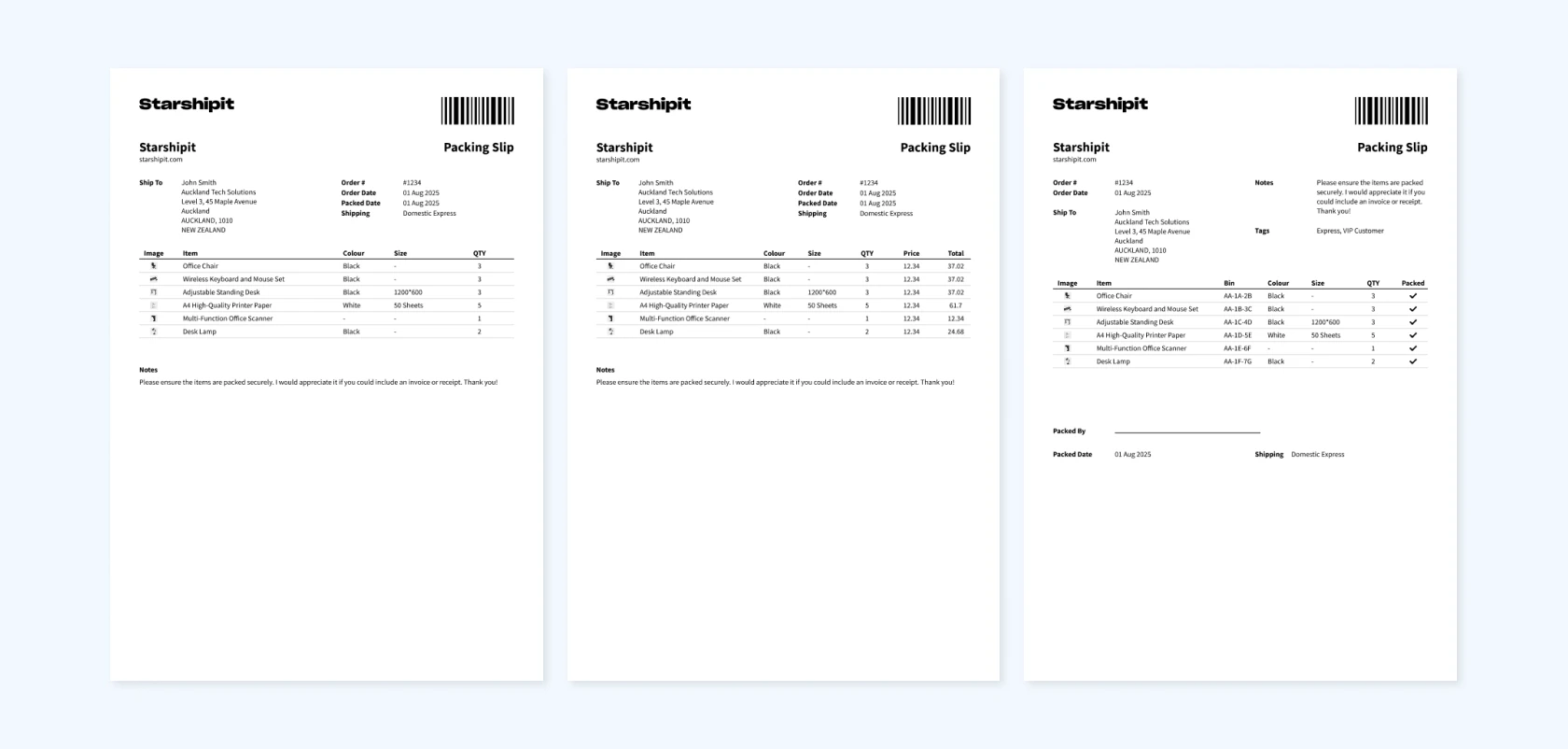
Here’s what’s new:
“Our packing slip templates give busy teams a big head start. Just choose a layout that fits your process and tweak it as much or as little as you need.” – Shauni Drought, Product Designer
Every one of these updates is about helping you work smarter, not harder – from simplifying compliance for U.S. shipments to personalising the final touches that reach your customers. Together, they’ll make shipping faster, clearer, and more flexible, so your team can focus on what really matters: getting orders out accurately and on time this peak season!
Check out our changelog for the latest updates, including improvements to the carriers you already use and enhancements to your most-used features. We’re always making changes to help you ship smarter.
Kimberley Hughes
More from this author